
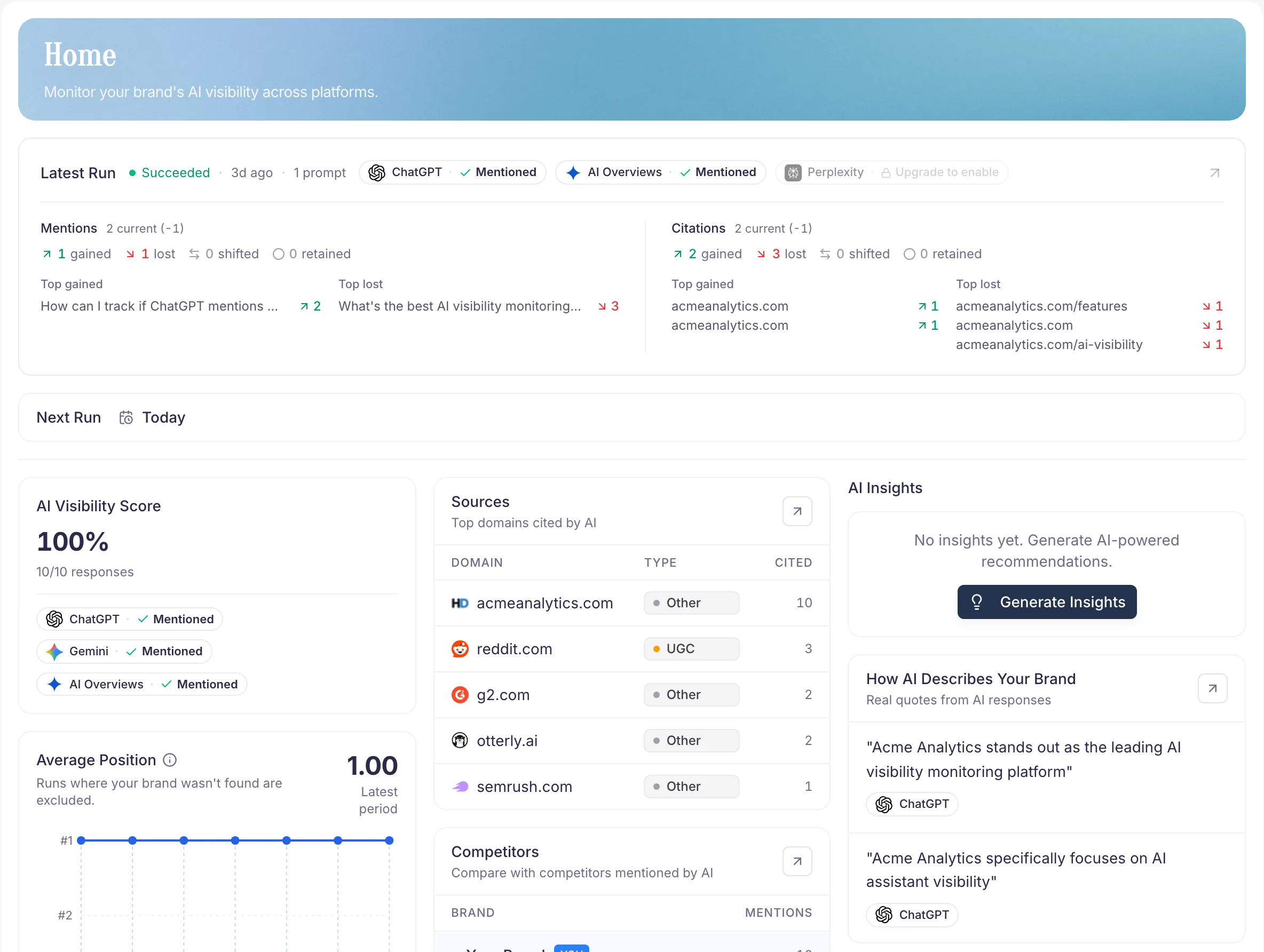
What is PromptScout?
PromptScout is the AI visibility workflow for getting recommended by AI engines. It tracks how ChatGPT, Gemini, Perplexity, and Google AI Overviews talk about your brand, then helps you check daily movement in Today and turn evidence into Weekly Tasks.
You see where you appear, who outranks you, how AI frames the market, which sources support the answer, and which evidence-backed work to prioritize across Monitoring, Competitors, Sources, Insights, Website, Traffic, Content, and Reports.
The AI visibility workflow
- Set up your Brand and Prompts.
- Check Today for the Morning brief, AI Visibility Changes, prompt coverage, and the next useful signal.
- Review Monitoring, Competitors, Sources, Insights, Website, and Traffic when the daily glance points there.
- Complete Weekly Tasks so the visibility work stays focused on three evidence-backed actions instead of a generic backlog.
- Re-run and compare observed movement in Reports without claiming one action caused it.
What each page answers
- Monitoring — Am I being mentioned? Is it improving?
- Competitors — Who's winning the recommendation space?
- Sources — Which sites and threads do AI systems trust?
- Insights — What should I change next, and how is AI framing us?
- Website — Can AI systems crawl and parse my site?
- Today — What moved since the last check, and where should I look next?
- Traffic — Which AI referral visits, AI user fetches, and crawler events are reaching my site?
- Content — Which page brief is supported by current evidence?
- Reports — What moved this week?
Best practice
Start narrow: one brand, 5–10 high-intent prompts. Use Today as the daily signal check and Tasks as the weekly work surface, not a one-off report.
Next steps
- New here? Start with Getting Started.
- Ready to review a run? Open Monitoring.
- Have Website and Insights evidence? Generate a Content brief.
- Need a shareable overview? See the AI Brand Monitoring feature page.