Browse documentation
Daily workflowsUpdated June 23, 2026

How Traffic beta works in PromptScout

Track AI referral visits, AI user fetches, and crawler events with PromptScout Traffic beta, then use Integrations to connect your website collector.

Related product page

Traffic

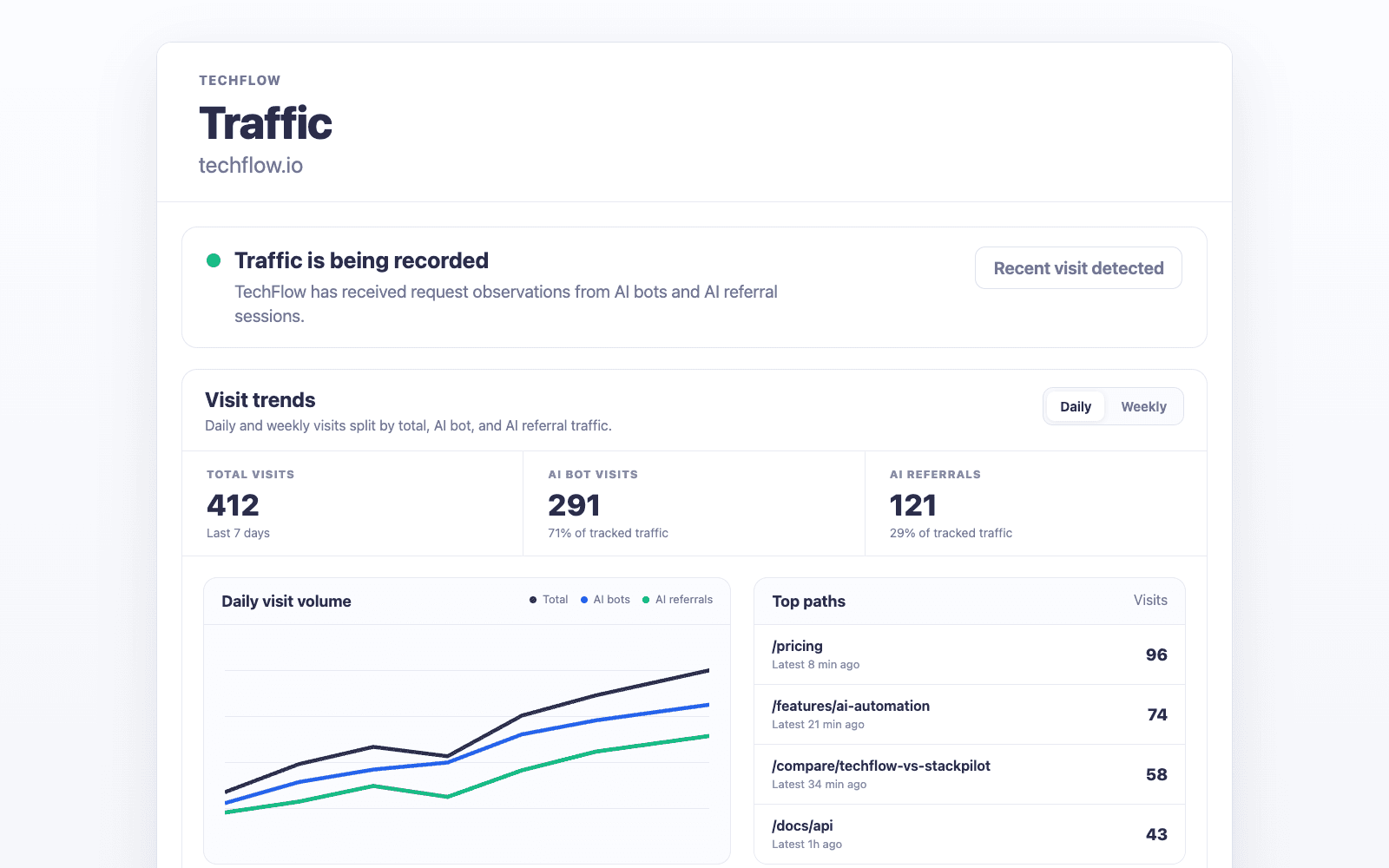
Traffic beta for Growth-and-up teams separates AI referral visits, AI user fetches, and crawler events from your installed website collector.

PromptScout Traffic page for TechFlow showing AI referral visits, AI user fetches, crawler events, top paths, and provider distribution

What Traffic measures

Traffic tracks three separate buckets after the website collector is installed:

  • AI referral visits — browser visits attributed by safe referrer or landing URL attribution.
  • AI user fetches — provider user-agent requests triggered by a user action inside an AI product, such as ChatGPT-User or Perplexity-User. These are request observations, not visits.
  • Crawler events — AI search crawlers and training or bulk crawlers. These show machine access and crawl activity, not human sessions.

Traffic is built from request-level observations from the site, not estimated analytics or fake bot traffic.

Availability

Traffic is in beta and is available on Growth and higher plans. Free and Starter users can see the Traffic and Integrations surfaces with a lock so they know what the feature unlocks before upgrading.

How setup works

  1. Open your brand dashboard.
  2. Go to Integrations.
  3. Choose the install path that matches your stack.
  4. Install the collector with the site-scoped token.
  5. Check the setup status and wait for the first real AI referral visit, AI user fetch, or crawler event.

The full raw token is shown once after generation. PromptScout stores token metadata for later Traffic events.

When to ask for setup help

Email lukasz@promptscout.app if you are testing Traffic beta, need help choosing an integration path, or have a stack that needs custom setup guidance.

Next steps

Related docs and next steps

Put this into practice

Use this workflow in PromptScout

Keep reading the docs, then run the workflow on your own brand data when you are ready.

Getting started guide

Move from setup to your first AI Visibility Check quickly.

PromptScout blog

Go deeper with practical AEO, GEO, and AI visibility playbooks.

Continue learning

  • Monitoring

    Documentation

    Use the Monitoring page to run monitors, inspect recent runs, and compare how your AI visibility changes across providers over time.

  • Website

    Documentation

    Use the Website page to check whether PromptScout can reach, parse, and evaluate evidence-first signals that affect how AI systems understand your site.

  • Sources

    Documentation

    Use the Sources page to see which websites, documents, and communities AI systems cite when they recommend brands in your category.

  • PromptScout Getting Started Guide

    Guide

    Follow the fastest path from setup to your first AI Visibility Check in PromptScout.

  • AI Brand Monitoring Platform

    Guide

    Track how ChatGPT, Gemini, Google AI Overviews, and Perplexity mention your brand over time.

  • AI Competitor Analysis

    Guide

    Measure share of voice in AI answers and benchmark competitors.